Employee credential tracking, made simple
Track employee credentials, qualifications, expiry dates, and supporting documents in one centralised workspace. Stay on top of upcoming renewals without relying on spreadsheets and manual follow-ups.
Who uses CertDock: security, labour hire, training, and site-based teams tracking employees and contractors.
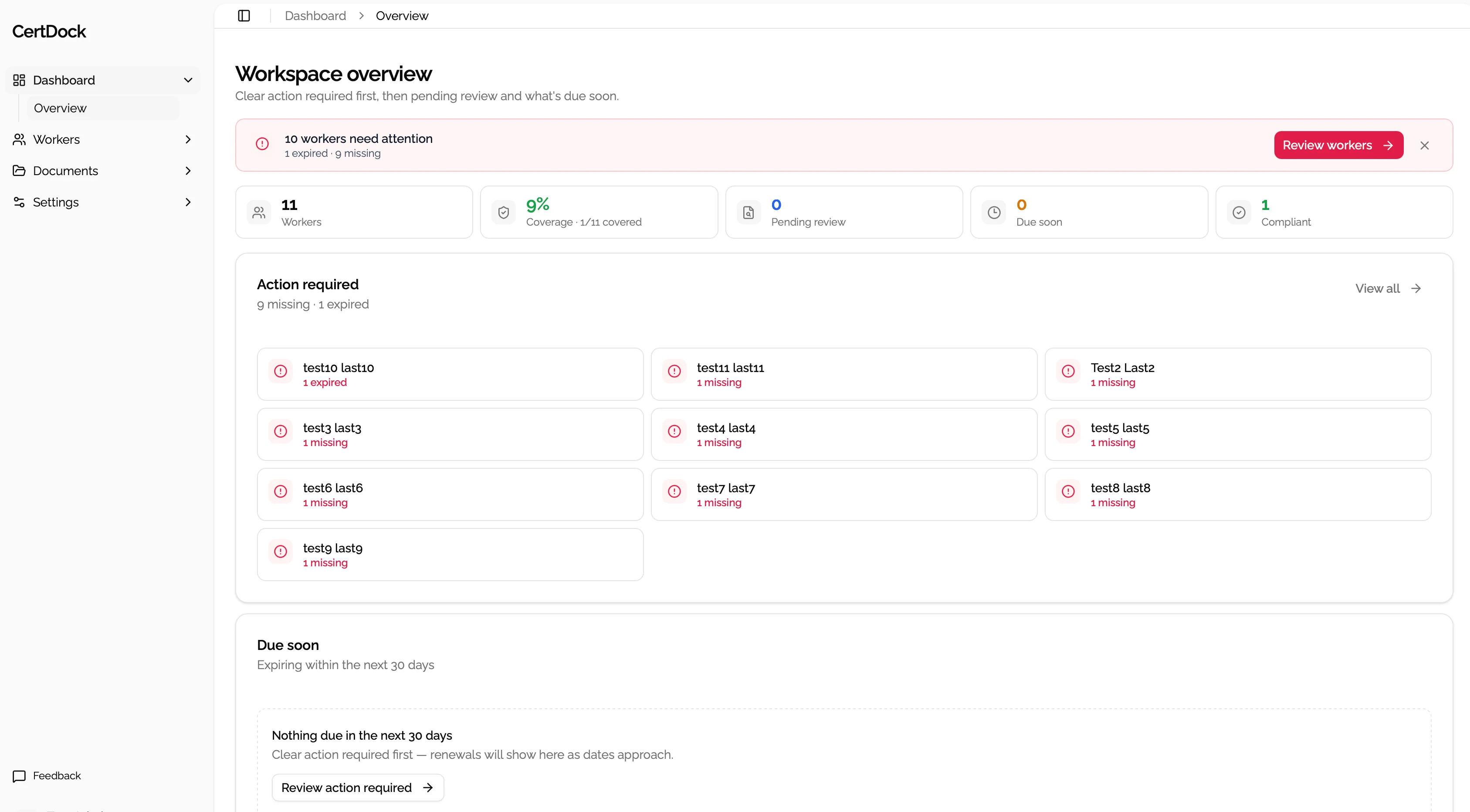
Everything your team needs to stay credential-ready
Workforce credential management for the whole roster. Triage what needs attention, set requirements by position, collect verification documents, and export the compliance matrix.
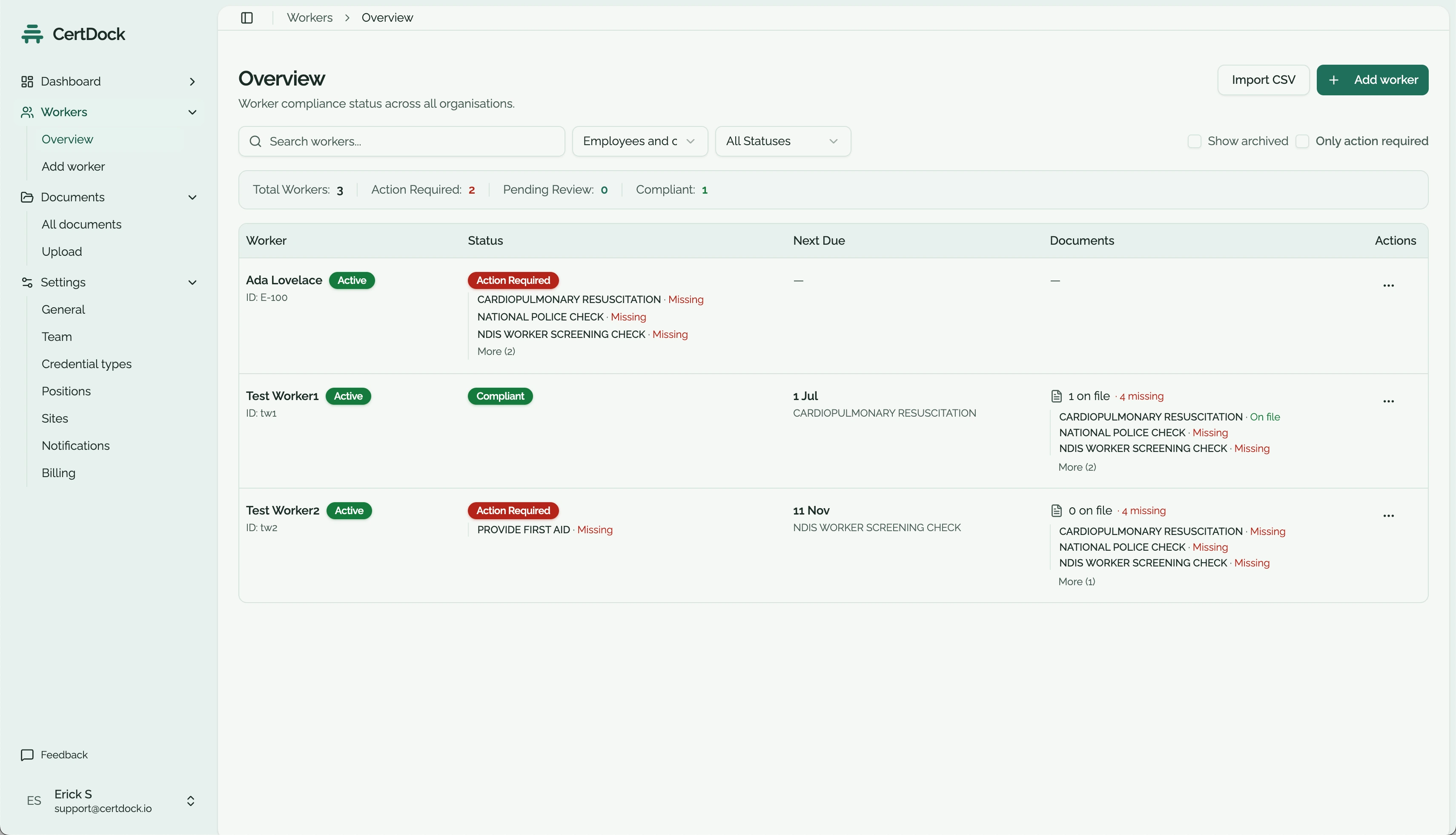
See who needs attention
Open the workers overview and know immediately who’s compliant, who’s due soon, and who needs action—without opening every profile.
Live status at a glance
Clear labels for expired, missing, suspended, due soon, and pending review—so the next action is obvious.
Focus on what matters
Search and filter by status, or by employees and contractors. Archived workers drop out of triage automatically.
Next due and document gaps
See what’s coming up for each worker and which verification files are on file or still missing.
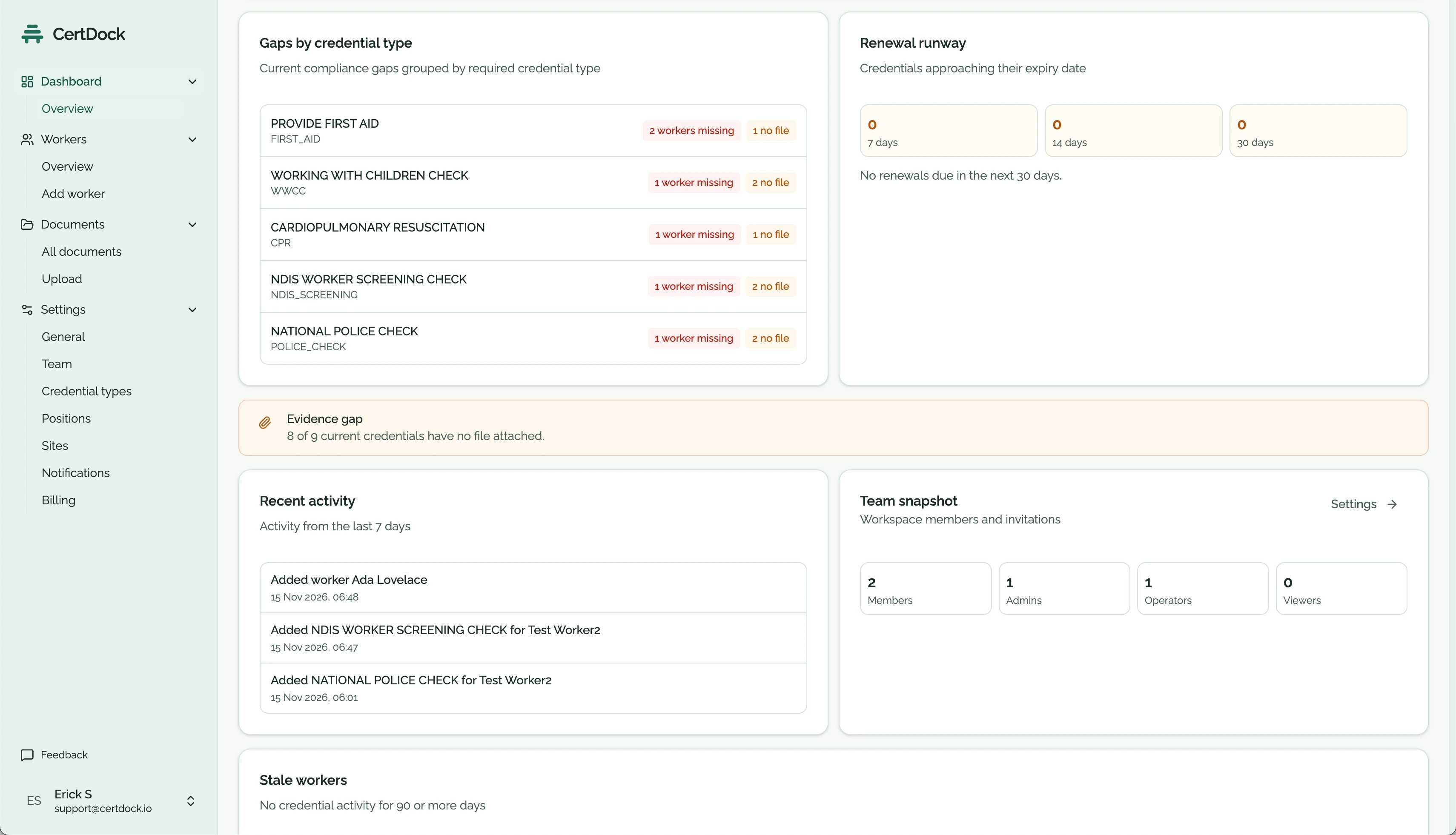
Know the gaps and the runway
Workspace insights group missing credentials by type, show renewals approaching, and surface recent team activity—so planning isn’t guesswork.
Gaps by credential type
See which required checks are missing across the workforce—first aid, CPR, background checks, and more.
Renewal runway
Track what’s due in 7, 14, and 30 days before expiries turn into action-required.
Compliance matrix export
Download every worker against every credential as a CSV—ready for audits and accreditation visits.
Set it up the way your roster works
Positions, sites, and contractors live on one worker register—so requirements follow the role, not a spreadsheet.
Positions set the requirements
Choose which credentials each position needs. Assign the position and the checklist follows.
Sites and contractors
Tag workers to the locations they cover, and track agency or contractor staff alongside employees.
Import and archive
Bring your roster in from CSV, then archive leavers without losing their history.
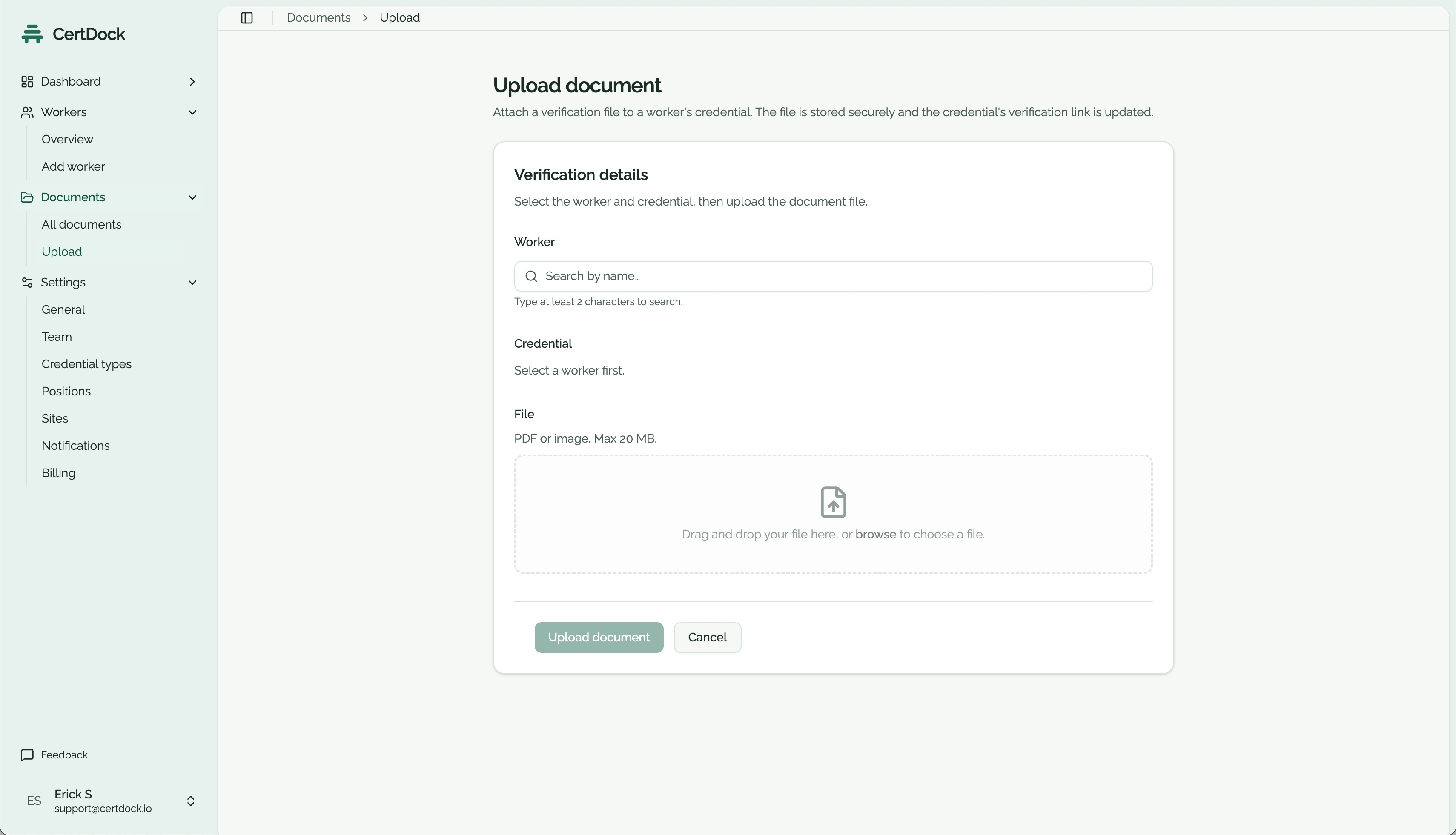
Upload, verify, and keep the trail
Attach PDFs or images to the correct worker and credential, sign off what you’ve checked, and keep a record of who did what.
Worker-first, then credential
Pick the worker, then the credential that document supports—no mismatched files or guesswork.
Workers upload their own renewals
Expiry reminders go straight to the worker with a secure upload link—no login needed.
Verified, with an audit trail
Mark credentials as verified and see every change in the activity history.
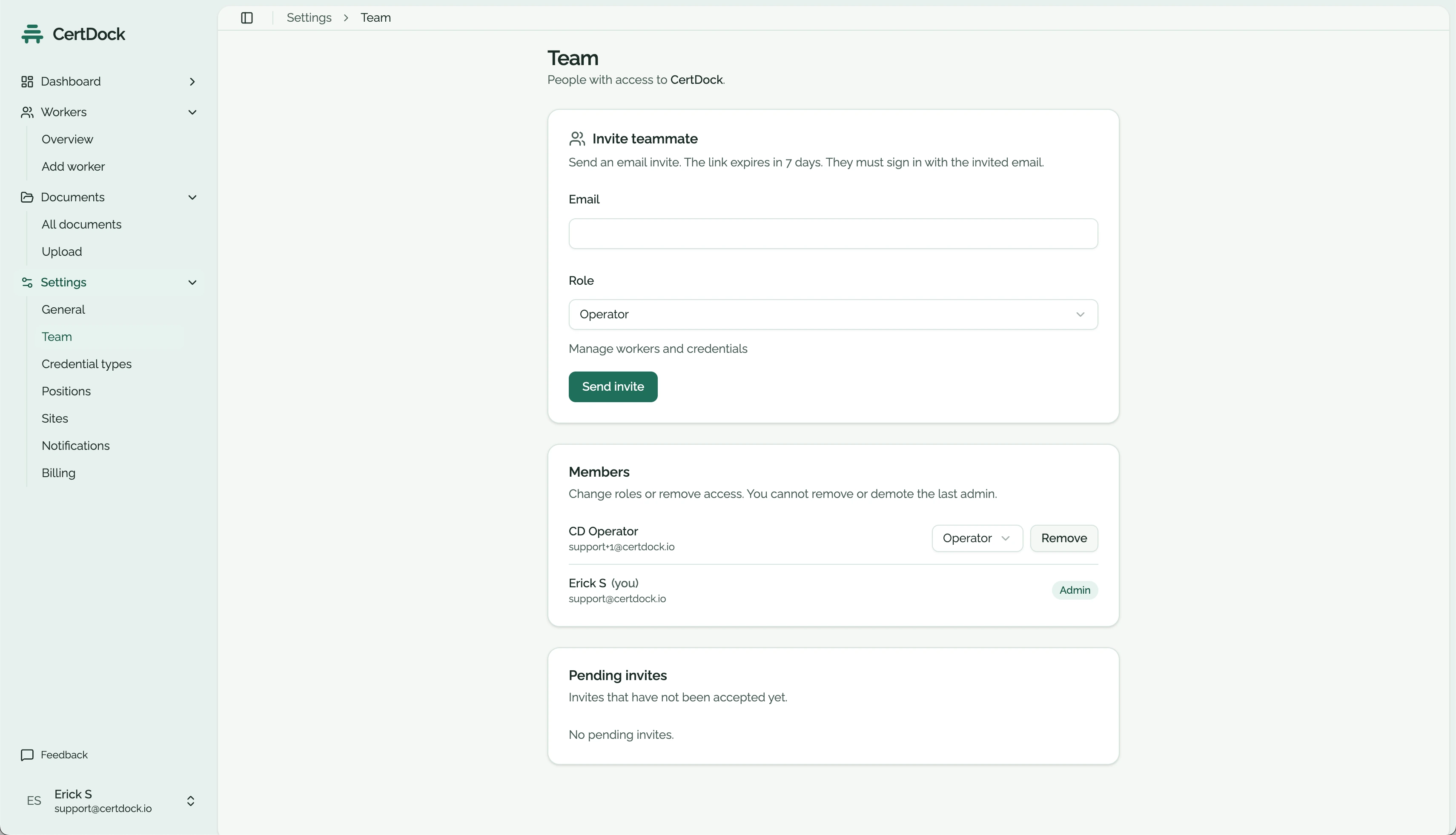
Invite your team and keep them in the loop
Admins invite colleagues by email and role. Each person chooses how often they hear about exceptions.
Roles that match the job
Viewer, operator, or admin—so read-only staff aren’t editing records, and billing stays with admins.
Exceptions email, daily or weekly
A short list of what’s expired, missing, or due in the next 30 days—or switch it off.
Simple file upload
Drag and drop or browse. Files stay in your organisation workspace.
Simple pricing
Start free. Upgrade when the roster needs the full register.
Free
See the workspace with a real roster
$0
No card to start
- Up to 5 workers
- Up to 3 credentials per worker
- 15 credentials in the workspace
- Triage dashboard
- Verification uploads
- Positions, sites, and contractors
Pro
The full register
A$49/month
A$49 a month, flat. Unlimited workers. No per-worker fees.
- 100 GB document storage
- Unlimited workers and credentials
- Triage dashboard (queues, coverage, gaps)
- Positions, sites, and contractors
- Verification uploads, sign-off, and audit trail
- Worker expiry reminders with upload links
- Team invites (viewer, operator, admin)
- Daily or weekly exceptions email
- Compliance matrix CSV download
- CSV roster import
Keep your workforce credential-ready
One workspace for renewals, verification files, and compliance status—so your team always knows what’s expiring, what’s missing, and what needs attention.